RBAC Sprawl: How It Happens and How to Claw It Back
- peterrivera813
- Apr 9
- 6 min read
Every Azure environment starts with good intentions. Least privilege, defined roles, clean assignments. Then six months pass. A team needs access urgently, someone gets Owner at the subscription level "just for now," a service principal gets Contributor because no one had time to scope it properly, and a developer who left the company six months ago still has a role assignment nobody noticed. Multiply that by two years and a dozen teams and you have RBAC sprawl — a quiet accumulation of access that nobody fully understands anymore.
The dangerous part isn't that it happened. It's that it's invisible until something goes wrong.
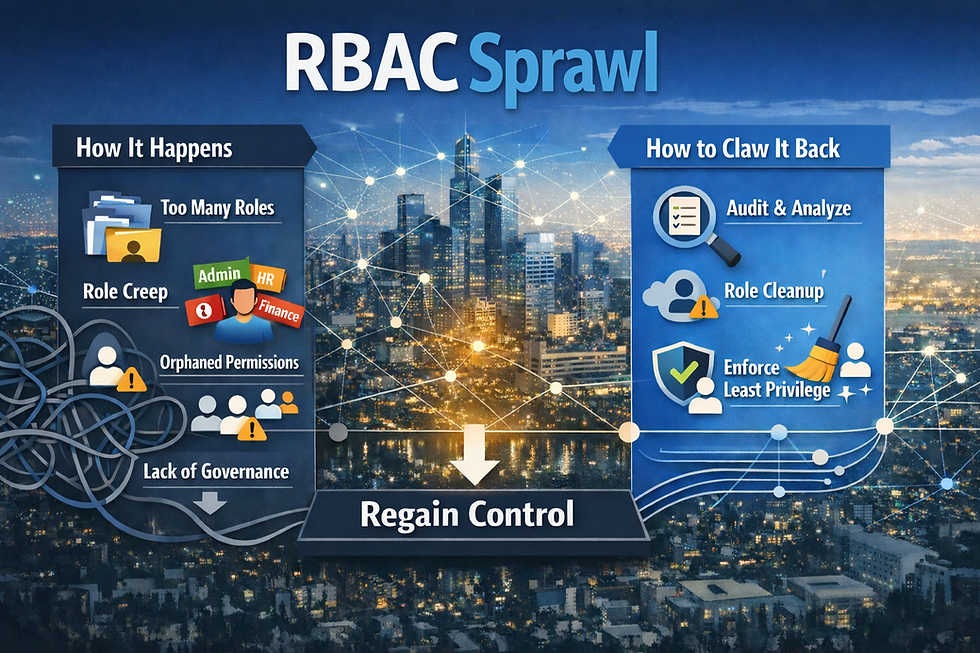
How Sprawl Happens
RBAC sprawl rarely comes from negligence. It comes from operational pressure compounding over time. These are the patterns that create it:
Subscription-scope assignments made in a hurry — Someone needs access to debug a production issue at 11pm. The fastest fix is Contributor at the subscription level. The incident resolves, the access stays.
Custom role proliferation — A team needs a slightly different permission set, a custom role gets created, and it never gets revisited. Over time you accumulate dozens of custom roles with overlapping definitions, some of which duplicate built-in roles that already exist.
Service principal sprawl — Every pipeline, automation script, and third-party integration gets its own service principal, often with Contributor or Owner because scoping it properly takes time nobody has. Those principals accumulate and go unreviewed.
Inherited permissions nobody tracks — Assignments at the management group level propagate down to every subscription and resource group beneath it. Teams forget the inheritance model and assign access at lower scopes on top of what's already inherited, doubling up without realizing it.
Leavers whose access wasn't cleaned up — Role assignments don't disappear when a user leaves Azure AD. Orphaned assignments — pointing at deleted or disabled principals — quietly accumulate and show up in your access reports as unresolvable noise.
Copy-paste onboarding — "Just give them the same access as Alex." Alex has three years of accumulated role assignments across five subscriptions. Now so does the new person.
What Makes It Hard to See
The access model in Azure spans management groups, subscriptions, resource groups, and individual resources — four levels of scope, all with inheritance flowing downward. Most teams look at access one level at a time, which means the full picture of what a principal can actually do is never visible in a single view.
The result: nobody can confidently answer the question "who has access to what, and why?" That's not a people problem. It's an architectural visibility problem.
Diagnosing the Sprawl
Before remediating, you need a clear picture of what you're dealing with. The instinct is to start removing access immediately — resist that. Remediating without a full inventory means you'll miss assignments, break things you didn't expect to break, and lose stakeholder trust in the process. Azure Resource Graph is your primary visibility tool, and the first query you should run targets the lowest-risk, highest-confidence cleanup: orphaned assignments.
Why start here: Every time a user or service principal is deleted from Azure AD, their role assignments in Azure don't automatically disappear. They persist as orphaned records — pointing at a principal that no longer exists — and they show up in your access reports as unresolvable noise. They carry no active security risk since the principal is gone, but they inflate your assignment count, make audits harder, and mask the real access picture. Removing them is zero-risk and gives you an immediate, defensible win before you touch anything sensitive.
Run this Resource Graph query to surface them across your entire environment:
Kusto Query:
authorizationresources
| where type == "microsoft.authorization/roleassignments"
| where properties.principalType == "User"
| join kind=leftouter (
identityresources
| where type == "microsoft.aad/users"
| project principalId = id
) on $left.properties.principalId == $right.principalId
| where isnull(principalId1)
| project assignmentId = id, scope = properties.scope, principalId = properties.principalId
What this query does: It pulls every user-type role assignment across your environment and performs a left outer join against your Azure AD user identities. Any assignment where the principal ID doesn't match a live user — isnull(principalId1) — is orphaned. The output gives you the assignment ID, the scope it was applied at, and the orphaned principal ID, which is everything you need to identify and delete each one.
Here's what a realistic output would look like when you run the query in Azure Resource Graph Explorer:
assignmentId | scope | principalId |
/subscriptions/a1b2c3d4.../providers/Microsoft.Authorization/roleAssignments/e5f6g7h8... | /subscriptions/a1b2c3d4-e5f6-7890-abcd-ef1234567890 | 9a8b7c6d-e5f4-3210-abcd-ef9876543210 |
/subscriptions/a1b2c3d4.../providers/Microsoft.Authorization/roleAssignments/i9j0k1l2... | /subscriptions/a1b2c3d4-e5f6-7890-abcd-ef1234567890/resourceGroups/rg-prod-networking | 1c2d3e4f-5g6h-7890-ijkl-mn1234567890 |
/subscriptions/a1b2c3d4.../providers/Microsoft.Authorization/roleAssignments/m3n4o5p6... | /managementGroups/mg-platform | 7q8r9s0t-u1v2-3456-wxyz-ab7890123456 |
/subscriptions/b2c3d4e5.../providers/Microsoft.Authorization/roleAssignments/q7r8s9t0... | /subscriptions/b2c3d4e5-f6g7-8901-bcde-f12345678901/resourceGroups/rg-dev-compute | 2w3x4y5z-6a7b-8901-cdef-gh2345678901 |
Reading the output:
assignmentId — the full resource ID of the role assignment itself. This is what you pass to az role assignment delete or use in an Azure Policy remediation task to remove it.
scope — where the assignment was applied. The first row is at subscription scope, the second at resource group scope, the third at management group scope. The management group one is the most important to investigate — orphaned assignments at that level propagate inherited access down to every subscription beneath it.
principalId — the Azure AD object ID of the deleted principal. The user or service principal this was assigned to no longer exists, which is why the join returned null. You won't be able to look this up in Azure AD anymore, but it confirms the assignment is genuinely orphaned.
What to do with it: Export the results to CSV, validate against your HR or offboarding records if needed, then bulk-delete using the Azure CLI:
az role assignment delete --ids "<assignmentId>"Or pipe the Resource Graph output directly into a deletion script if you're comfortable with the results and want to clean up at scale.
Run this at the management group scope in Azure Resource Graph Explorer to catch orphaned assignments across all subscriptions in your hierarchy, not just one at a time. Scoping it to a single subscription is the most common mistake here — sprawl accumulates across subscriptions, and a subscription-by-subscription approach gives you a fragmented picture that misses the full extent of the problem.
Once orphaned assignments are cleared, you have a cleaner baseline to work from — and the subsequent inventory of broad assignments, custom roles, and service principal permissions becomes significantly easier to reason about.
Remediating Without a Production Freeze
The instinct is to do a big cleanup — freeze access changes, audit everything, rebuild from scratch. That's not realistic in a live environment and it creates more disruption than the sprawl itself. A phased approach works better:
Phase 1 — Remove the obvious waste (low risk, high impact)
Delete orphaned role assignments — no active principal, no impact
Remove duplicate assignments where the same principal has the same effective permission at multiple scopes
Delete unused custom roles — any custom role with zero current assignments that hasn't been assigned in 90+ days
Phase 2 — Scope down broad assignments
Identify Contributor and Owner assignments at subscription scope and work with teams to move them to resource group scope
Replace broad service principal assignments with scoped equivalents — a pipeline that deploys to one resource group doesn't need Contributor on the subscription
This phase requires team coordination but doesn't break anything if done incrementally
Phase 3 — Convert permanent to eligible via PIM
Permanent assignments for privileged roles (Owner, User Access Administrator, Security Admin) should become eligible assignments in Privileged Identity Management
Users activate when they need access, with justification and time-bound approval
This is the highest-impact security improvement and the one most teams defer — do it deliberately, not all at once
Phase 4 — Establish access reviews
Configure quarterly access reviews in Azure AD for high-privilege roles
Require role owners to actively confirm assignments rather than letting them persist by default
Without this, Phase 1–3 become a one-time cleanup that sprawl slowly undoes
Guardrails to Prevent Re-Sprawl
Cleaning up once without changing the underlying conditions means doing it again in 18 months. These guardrails address the root causes:
IaC for role assignments — Any role assignment outside of break-glass and emergency access should be managed in code, reviewed in a PR, and deployed through a pipeline. Ad-hoc portal assignments that aren't tracked in code should trigger an alert.
Azure Policy to block high-scope assignments — Deny Contributor and Owner assignments at subscription and management group scope except via an exemption workflow. This forces teams to scope access correctly at request time rather than at cleanup time.
Service principal naming and ownership standards — Every service principal should have an owner tag, a purpose, and a review date. Principals with no owner after 90 days get disabled, not deleted — disabled gives you a recovery window if something breaks.
PIM for all privileged roles by default — New privileged role assignments go through PIM from day one. Permanent privileged assignments require a documented exception.
Bottom Line
RBAC sprawl is an operational debt problem, not a security failure. It accumulates gradually, stays invisible until something breaks, and resists cleanup because nobody wants to remove access that might be needed. The remediation approach that works is incremental — start with orphaned assignments, move to scope reduction, convert permanent to eligible, then build the guardrails that prevent it from recurring.
The goal isn't a perfect access model. It's an access model you can actually audit, defend, and answer questions about when someone asks.


Comments